

7 Ways Virtual Cards Protect Your Money Better Than Physical Cards
Virtual cards have already proven their worth against fraud attempts that would have hit physical cards directly — here’s how they work and why they’re worth switching to.
TL;DR
- Credit card fraud jumped 18% in 2025, with most attacks targeting physical card numbers in merchant databases.
- Capital One Eno and similar services generate single-use tokenized numbers, making stolen data useless to attackers.
- Create a merchant-specific virtual card with a custom spending limit for every recurring online subscription.
Virtual cards can block subscription services from charging after cancellation — something that would be impossible to stop with a traditional card. Virtual cards give you control over your money that physical cards simply can’t match.
Credit card fraud continues to rise, with most attacks targeting physical card numbers stored in merchant databases. Virtual cards operate on completely different security principles that make traditional fraud tactics nearly useless.
The level of control virtual cards provide is significant once you understand how they work — and the security benefits make them a clear upgrade for online purchases.
How Do Virtual Cards Actually Work Differently?
Virtual cards aren’t just digital versions of your physical card. They’re temporary card numbers linked to your real account, but with their own unique security features that fundamentally change how payments work.
When you create a virtual card, your bank or card provider generates a completely new 16-digit number. This number connects to your actual account, but it’s not your real card number. Think of it like a secure tunnel between merchants and your money — except you control every aspect of that tunnel.
The key difference? You control every aspect of how that virtual number works. You can set spending limits, choose which merchants can use it, and even set expiration dates as short as one day. Your physical card can’t do any of this.
With Capital One’s Eno service, for example, you can watch the card number generate in real-time. The system creates a unique CVV, expiration date, and a custom name for the card. It takes about 10 seconds to have a completely separate payment method.
The technical architecture is straightforward. Virtual cards use tokenization technology, which means the merchant never sees your real account details. Instead, they get a token that represents your payment method but can’t be used to access your actual account information.
Virtual cards aren’t just for tech-savvy users. Anyone can set a $200 limit on a virtual card used for online grocery orders and never worry about overspending or fraud on that specific card.
Why Can Virtual Cards Set Custom Spending Limits?
This is where virtual cards shine compared to physical ones. I can create a virtual card with a $50 limit just for that sketchy website I’m not sure about. If something goes wrong, the maximum damage is $50 — not my entire credit line.
With physical cards, your spending limit applies to everything. One compromised transaction could max out your entire credit line. Virtual cards let you compartmentalize risk by creating cards with specific dollar limits for specific purposes.
Physical card skimming at gas stations is a documented risk — thieves can rack up thousands in charges before the victim notices. Using virtual cards with low limits for gas stations contains the damage even if the card number gets compromised.
The psychology of spending limits is useful too. A virtual card with a $300 limit for online shopping creates a built-in budget that can’t accidentally be exceeded.
A practical example: when buying from an unfamiliar website, creating a virtual card with a limit of exactly the item price plus shipping means that even if the site is fraudulent, they can’t take more than that amount.
The granular control extends to time limits too. I can create a card that expires in 24 hours, perfect for one-time purchases. Or I can make one that lasts six months for a specific subscription. This level of customization is impossible with physical cards.
How Do Merchant-Specific Virtual Cards Stop Fraud?
Here’s something most people miss: you can lock virtual cards to specific merchants. I have one virtual card that only works at Amazon, another that only works at my grocery store, and a third that only works at gas stations.
When hackers steal merchant databases — like what happened to Target and Home Depot — they get millions of card numbers. But if those numbers are virtual cards locked to specific merchants, they’re useless anywhere else.
A virtual card locked to Netflix can’t be used to buy anything at Walmart, even if someone steals the number. This merchant-locking feature doesn’t exist with physical cards.
A merchant-locked virtual card will be declined at any other retailer, even with plenty of available credit. The security implications are significant.
Think about it: if hackers breach Amazon’s database and steal my virtual card number, they can’t use it to buy anything anywhere else. They can’t even use it to buy different items on Amazon if I’ve set category restrictions. The card is essentially worthless to them.
The merchant-locking technology works through a whitelist system. When you create the virtual card, you specify which merchant category codes (MCCs) or specific merchants can process charges. Any transaction outside those parameters gets automatically declined.
With separate virtual cards for different merchant categories — coffee shops, streaming, travel — each with its own spending limit and expiration date, even if every single card gets compromised, hackers can’t cross-contaminate spending across different categories or merchants.
Can You Really Delete Virtual Cards Instantly?
Yes, and this is a game-changer for subscription management. I can delete a virtual card number instantly from my phone, which immediately stops all future charges to that number. No phone calls, no waiting periods, no begging customer service to cancel.
Try doing that with a physical card. You’d have to cancel the entire card, wait 7-10 days for a replacement, and update every legitimate subscription manually. With virtual cards, I can surgically remove access for specific services without affecting anything else.
A virtual card with a $1 limit created for a free trial signup will automatically decline the $29.99 charge when the trial ends. No phone calls, no disputes, no hassle.
The deletion process is instantaneous. I open my banking app, find the virtual card, and tap “Delete.” Within seconds, that card number becomes completely inactive. Any future attempts to charge it will fail immediately.
This changes how subscriptions work. Free trial signup concerns disappear when the payment method can simply be deleted. The savings from avoided unwanted subscription charges can add up quickly.
A practical system: every subscription gets its own virtual card with a limit slightly above the monthly fee. To cancel, delete the card. If the service tries to charge after cancellation, the payment fails automatically.
Knowing that any service can be instantly cut off makes it easier to try new subscriptions. There’s no lock-in because the option to delete the card always exists.
Why Are Virtual Cards Better for Online Shopping?
Online shopping is where virtual cards really prove their worth. Every time you enter your physical card number on a website, you’re trusting that merchant to keep it secure forever. That’s a lot of trust to place in companies you’ve never met.
Data breaches happen constantly. When a physical card number gets stolen in a breach, the result is fraudulent charges and card replacements.
With virtual cards, creating a new number for every major online purchase means that if a merchant gets breached months later, the virtual card number they have is already deleted or expired. The attackers get nothing useful.
Virtual card numbers compromised in data breaches don’t result in fraudulent charges when the cards are already inactive — the breach exposes a useless number.
If a clothing retailer sends a breach notification six months after a purchase, and the virtual card used for that purchase was already deleted, there’s nothing to worry about and no subscriptions to update.
A practical routine: find the item to buy, create a virtual card with the exact purchase amount plus a small buffer, complete the transaction, then delete the card within 24 hours. The extra two minutes per purchase provides significant security benefit.
For recurring online purchases like subscription boxes, longer-term virtual cards with specific limits and merchant locks work well. A coffee subscription card that only works at that specific company and has a $40 monthly limit eliminates any risk of overbilling.
How Do Temporary Virtual Cards Work for One-Time Purchases?
Some virtual card services let you create cards that expire after a single use or a specific time period. This is perfect for one-time purchases from unfamiliar websites or when you’re not sure about a merchant’s legitimacy.
Buying concert tickets from a third-party reseller is a good use case: create a virtual card with a 24-hour expiration and a limit of exactly the ticket price plus fees. After the purchase, the card becomes useless automatically.
Even if that website gets hacked or tries to charge again, there’s no valid card number to target. The temporary nature of these cards makes them fraud-proof by design.
The single-use feature is particularly clever. The virtual card number becomes invalid immediately after the first successful transaction. Even if the merchant tries to process additional charges within the expiration window, they’ll be declined because the card has already fulfilled its single-use purpose.
This feature is valuable for online marketplaces when buying from individual sellers. Create a card, make the purchase, and the card becomes inactive. If the seller turns out to be fraudulent, they can’t cause additional damage.
The time-based expiration is equally useful. A card that expires in exactly one hour for an immediate purchase, or one week for a planned purchase, gives precise control over exposure window.
For high-risk transactions — like buying from an individual seller on social media — a virtual card with a short expiration and a limit of exactly the asking price contains the financial exposure completely, regardless of outcome.
What About Virtual Cards and Recurring Subscriptions?
Virtual cards excel at managing recurring subscriptions because you maintain granular control. I have separate virtual cards for Netflix, Spotify, gym membership, and my phone bill. Each card has a specific monthly limit and merchant lock.
If I want to cancel Netflix, I just delete that virtual card. Netflix can’t charge me anymore, period. No need to call customer service or navigate confusing cancellation processes. The subscription dies instantly when the payment method disappears.
This also helps with subscription creep. When each subscription has its own virtual card with a specific limit, you can see exactly what you’re paying for each service. No more mystery charges buried in your statement.
A mature virtual card system might include 10-15 different virtual cards for various subscriptions, each with its own spending limit and renewal schedule. The banking app shows exactly how much is being spent on subscriptions each month across all categories.
When a streaming service raises its price, the charge is automatically declined if it exceeds the virtual card’s set limit. This creates an active decision point — whether the service is worth the higher price — rather than absorbing increases unconsciously.
Some subscription services also offer better deals when they detect a payment issue. A declined charge due to a price increase may trigger an automatic offer of a retention discount to keep the subscription active.
The merchant-specific locking prevents subscription services from selling your payment information to partner companies. Even if they wanted to, they can’t use your Netflix virtual card to sign you up for their new gaming service.
Are There Any Downsides to Using Virtual Cards?
Virtual cards aren’t perfect. Some merchants don’t accept them, particularly for services that require physical card verification like car rentals or hotel check-ins. These businesses want to ensure they can charge for damages or incidentals even after you leave.
You also can’t use virtual cards for cash advances or in-person transactions where you need to physically swipe or insert a card. They’re purely digital payment tools designed for card-not-present transactions.
The biggest limitation is that not all banks offer robust virtual card features yet. Some only provide basic temporary numbers without the advanced controls I’ve mentioned.
Some subscription services require “real” cards for verification during signup, rejecting virtual cards, though they often accept them for ongoing payments once an account is established.
International purchases can be tricky too. Some virtual card systems don’t work well with foreign merchants or currency conversions — a virtual card may be declined even with plenty of available credit when used with certain international retailers.
Managing multiple virtual cards requires organization and attention to detail. Accidentally deleting a card that still has active subscriptions causes service interruptions until a new card is created.
Some virtual card systems also lack detailed transaction history. Charges appear in the main account, but identifying which virtual card was used for which purchase may require cross-referencing dates and amounts.
Which Banks and Services Offer the Best Virtual Cards?
Capital One’s Eno service lets you create unlimited virtual cards with merchant locking and instant deletion, though it doesn’t let you set a custom per-card spending limit (the limit is your underlying credit line). It’s built into their mobile app and works seamlessly with both credit and debit cards.
The Eno interface is intuitive — a new virtual card takes about 10 seconds to create, and the system can suggest spending limits based on purchase history.
Citi offers virtual account numbers for online shopping, but without the advanced controls. Their system generates temporary numbers that expire after a set period, but you can’t lock them to specific merchants or set custom spending limits. It’s basic but functional.
Bank of America has ShopSafe, which creates temporary numbers but lacks merchant-specific locking. The numbers expire after a predetermined time or dollar amount, whichever comes first. It’s better than nothing but not as sophisticated as Capital One’s offering.
For non-bank options, Privacy.com (US only) offers virtual cards linked to your bank account with excellent control features, including specific merchant locks, spending limits, and expiration dates.
Apple Card provides virtual numbers through Apple Pay, though with fewer customization options. The integration with iOS is seamless, but it doesn’t support multiple virtual cards for different purposes — it’s more of a single virtual representation of the physical card.
Chase offers virtual card numbers for online shopping, but with limited controls and a low cap on active virtual numbers simultaneously.
American Express has a virtual card system with good security features, though creating and managing them requires more steps than some alternatives.
How Do Virtual Cards Affect Your Credit Score?
Virtual cards don’t directly impact your credit score any differently than physical cards. They’re still linked to your actual credit account, so payments and balances affect your score the same way. The credit bureaus see the same account regardless of whether you used a virtual or physical card number.
Virtual cards can indirectly help credit by preventing fraud. Fraudulent charges can temporarily increase utilization ratios and require disputes that may affect scores until resolved. By preventing fraud in the first place, virtual cards help maintain consistent, predictable credit utilization and payment history.
Setting specific spending limits on each virtual card reduces the risk of accidental overspending in any single category, which helps keep overall utilization ratios low and consistent.
When a physical card is compromised, disputing charges and waiting for resolution can cause temporary utilization spikes if the fraudulent charges are large. Virtual cards eliminate this problem by preventing the fraud in the first place.
There’s also a behavioral benefit. Actively creating a virtual card for each purchase creates a moment of mindfulness around spending — a small friction that can reduce impulse purchases and maintain better credit utilization ratios.
The credit reporting agencies don’t distinguish between virtual and physical card transactions, so your credit report looks exactly the same. The only difference is in your spending behavior and fraud exposure, both of which can positively impact your credit health over time.
How Do Virtual Cards Handle Refunds and Returns?
Refunds to virtual cards work the same way as physical cards, but there’s an important caveat: the virtual card number must still be active to receive the refund. If you’ve deleted the virtual card, the refund might fail or get complicated.
A common mistake is deleting a virtual card shortly after purchase. If a return is needed two weeks later, the merchant can’t process the refund to the deleted card number.
Most banks handle this by crediting refunds to the main account if the virtual card is inactive, but the process can take longer and sometimes requires customer service intervention.
The recommended approach is to keep virtual cards active for at least 30-60 days after purchase, depending on the merchant’s return policy. For major purchases, keeping the virtual card active for several months ensures smooth returns if needed.
Some advanced virtual card systems handle this better. Capital One’s Eno service can route refunds to your main account even if the virtual card is deleted, and they’re good about notifying you when this happens.
The key is planning ahead. If you’re buying something with a liberal return policy, factor that into your virtual card management strategy. Don’t delete the card immediately after purchase if you might need to return the item.
Conclusion
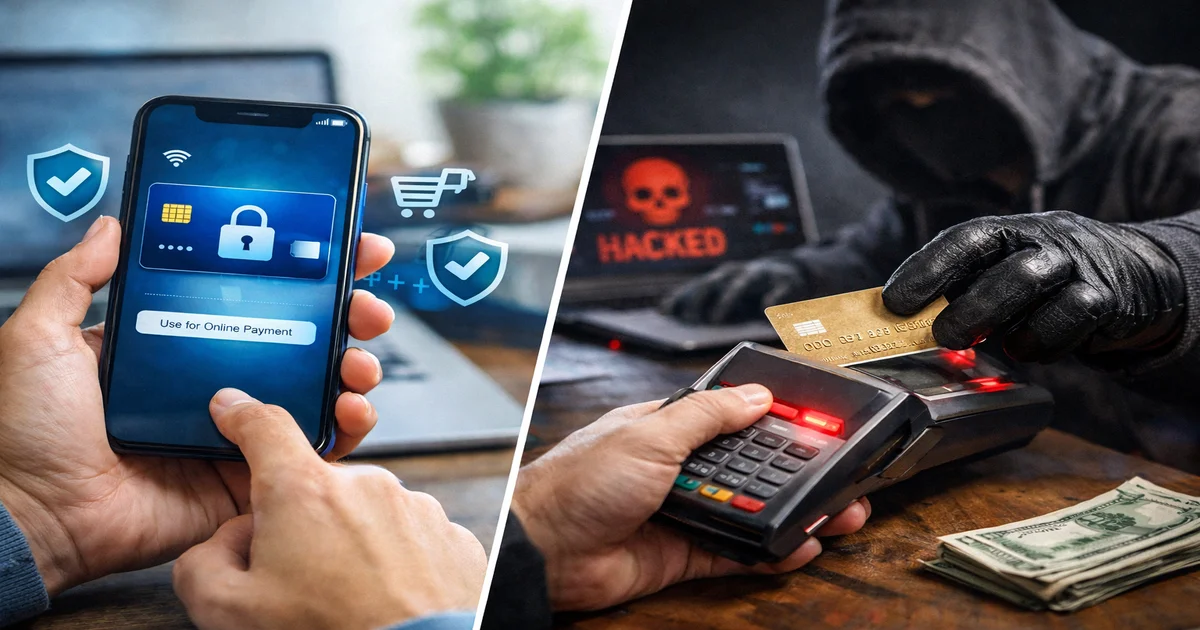
Virtual cards represent a meaningful upgrade in payment security. They prevent fraud attempts, simplify subscription management, and give users control over their money that physical cards simply can’t match.
The ability to create merchant-specific cards with custom limits and instant deletion capabilities makes virtual cards objectively safer than physical cards for most transactions. While they can’t completely replace physical cards yet, they should be your first choice for online purchases and subscription services. The learning curve is minimal, but the security benefits are massive.
Frequently Asked Questions
-
Can I use virtual cards for in-person purchases?
No, virtual cards only work for online and phone purchases where you enter the number manually. -
Do virtual cards work with Apple Pay and Google Pay?
Yes, most virtual cards can be added to digital wallets just like physical cards for contactless payments. -
What happens if I delete a virtual card with a pending charge?
Pending charges usually still process, but future charges to that number will be declined immediately. -
Are virtual cards free to use?
Most banks offer virtual cards free with existing accounts. Third-party services may charge small monthly fees. -
Can I get cash back or rewards with virtual cards?
Yes, virtual cards earn the same rewards as your physical card since they’re linked to the same account.